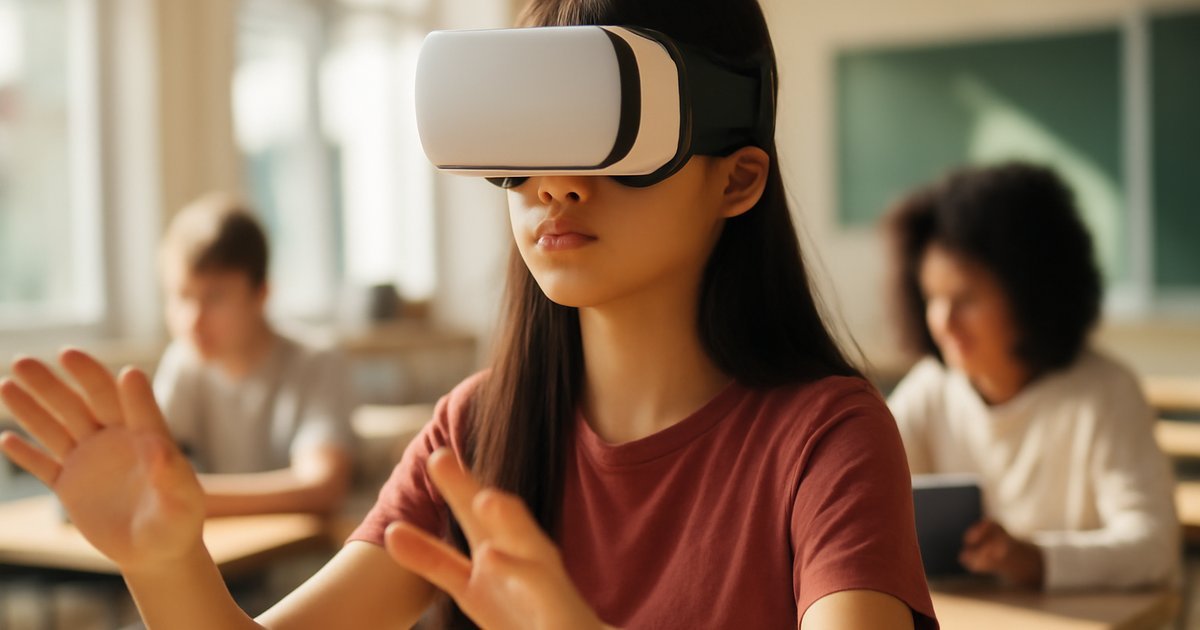
Imagine putting on a headset and stepping inside the human heart — watching blood cells flow past you, studying valves opening and closing in real time. That’s not science fiction anymore. That’s what thousands of students experienced when immersive education technology began reshaping classrooms in the early 2020s.
According to a 2025 report from the US Department of Education, schools and universities that integrated extended reality (XR) technologies — including virtual reality (VR) and augmented reality (AR) — saw measurable improvements in student engagement and knowledge retention compared to traditional instruction methods. Yet many educators and parents still aren’t sure what these tools actually do, whether they’re worth the investment, or how to get started.
This guide breaks down exactly how VR and AR are being used in real educational settings today. You’ll learn what makes these technologies effective, which platforms and tools are leading the way, what pitfalls to avoid, and how students, teachers, and schools can start using them — even on a limited budget. Whether you’re a curious student, a classroom teacher, or a parent wondering if this technology belongs in your child’s education, this article has practical answers for you.
Why VR and AR in Education Matter in 2026
The education technology landscape has shifted dramatically. After years of pandemic-era remote learning exposed the limits of passive screen-based instruction, researchers and educators began looking for tools that could create deeper, more active learning experiences — and immersive technology rose to the top of that conversation.
A landmark study from PricewaterhouseCoopers found that VR learners completed training up to four times faster than classroom learners and were 275% more confident applying what they learned. While that research originally focused on workplace training, its findings have been replicated in K-12 and higher education contexts. The National Education Association has also highlighted immersive tech as one of the most promising frontiers for closing achievement gaps in STEM subjects.
The job market reinforces this urgency. The Bureau of Labor Statistics projects that careers in health sciences, engineering, architecture, and design — all fields where spatial understanding is critical — will grow significantly through the early 2030s. Students who develop comfort with VR and AR tools during their education gain a genuine competitive advantage when entering these industries.
AR, which overlays digital information onto the real world through a phone or tablet camera, is also becoming a standard feature in textbooks and classroom apps. It doesn’t require expensive headsets, making it far more accessible than full VR for most schools. Understanding both technologies and when to use each one is essential for modern educators and motivated students.
Understanding the Basics: VR vs. AR and How They Work
Before diving into applications, it helps to understand the difference between the two technologies — because they serve different educational purposes and require different resources.
Virtual Reality (VR) creates a fully immersive, computer-generated environment. When you put on a VR headset like a Meta Quest 3 or a Pico 4, the real world disappears entirely and you’re placed inside a simulated space. In education, this might mean walking through ancient Rome, performing a virtual chemistry lab, or practicing a job interview in a realistic office setting.
Augmented Reality (AR) keeps you in the real world but layers digital content on top of it. Using a smartphone or tablet, AR apps can project a 3D model of the solar system onto your desk, animate a diagram in a textbook, or show a building’s internal structure when you point your camera at it. Google Expeditions, Merge Cube, and CoSpaces Edu all use AR in exactly this way.
A common misconception is that these technologies are only for STEM subjects. In reality, language arts programs use VR to place students inside historical events for writing inspiration, and social-emotional learning platforms use VR scenarios to teach empathy and conflict resolution. A widely cited study from Stanford University’s Virtual Human Interaction Lab found that students who experienced homelessness through a VR simulation showed significantly greater empathy and concern for housing issues than those who only read about the topic.
Another misconception is that you need expensive equipment to start. Many powerful AR experiences run on any standard smartphone or tablet — tools most students and classrooms already have. Full VR setups are more costly, but programs like Google’s Expeditions Pioneer Program and partnerships through Coursera and edX have helped reduce barriers to access.
How to Get Started: A Step-by-Step Approach for Students and Educators
Getting started with immersive learning tools doesn’t require a massive budget or technical expertise. Here’s a practical path forward, organized by stage.
Step 1: Start with AR — it’s free and device-friendly. Download free apps like Merge EDU, Google Arts & Culture, or Visible Body on your smartphone or tablet. Spend one session exploring an existing lesson through AR before building new curriculum around it. This low-stakes entry point helps you understand what immersive content actually feels like before committing resources.
Step 2: Identify a specific learning gap AR or VR can address. Immersive tech works best when it solves a real problem — a concept that’s hard to visualize, a place students can’t physically visit, a skill that’s dangerous to practice in real life. Don’t add technology for its own sake. Match the tool to the learning objective.
Step 3: Explore subject-specific platforms. For science, Labster offers virtual labs used by over 750 universities. For history and geography, Google Expeditions provides over 900 VR tours. For medical and health education, Osso VR delivers surgical training simulations. For general classroom use, CoSpaces Edu lets students and teachers build their own AR and VR experiences from scratch — no coding required for basic projects.
Step 4: If adding VR headsets, pilot before scaling. Request a loan program or demo from vendors before purchasing a class set. Many companies offer 30-day pilots for schools. Start with a small group of students to gather feedback and refine how you integrate the tool into lesson plans.
Step 5: Pair immersive experiences with structured reflection. Research from Harvard Graduate School of Education emphasizes that experiential learning tools only produce lasting outcomes when followed by structured debriefs — discussion questions, journaling, or collaborative analysis. Don’t let students just put on a headset and call it learning. The experience needs to connect to explicit learning goals.
If you’re a student using these tools independently, platforms like Coursera and edX now offer XR literacy courses that teach you how to critically evaluate and use immersive content — a skill that will distinguish you in both academic and professional settings. You might also find it valuable to explore the best AI learning tools for students in 2026 to build a comprehensive digital learning toolkit alongside your VR and AR skills.
Common Mistakes to Avoid When Using VR and AR in Education
Immersive technology is genuinely exciting — which is exactly why many schools and students rush in without a clear plan. These are the mistakes that consistently undermine results.
Mistake 1: Using VR as entertainment, not instruction. A VR tour of the Great Wall is compelling, but if students aren’t anchored to specific learning objectives before and after the experience, it functions more like a field trip movie than education. Always pair immersive content with a pre-activity that sets context and a post-activity that processes learning.
Mistake 2: Ignoring accessibility and equity issues. Not every student can safely use VR headsets. Students with certain neurological conditions, motion sensitivity, or visual impairments may find VR disorienting or harmful. Educators must have alternative activities available and should never require headset use. AR on existing devices is often a more inclusive entry point.
Mistake 3: Skipping teacher training. Technology without pedagogical preparation rarely produces results. Studies cited by the International Society for Technology in Education consistently show that EdTech tools underperform when teachers aren’t given adequate time to learn them before rolling them out to students. Budget for professional development before budgeting for hardware.
Mistake 4: Assuming newer means better. A well-designed simulation from three years ago may outperform a flashy new app with poor instructional design. Evaluate immersive content the same way you’d evaluate a textbook — for accuracy, alignment to learning standards, and quality of user experience. Check whether platforms like Labster or Merge EDU align content to Common Core or Next Generation Science Standards before adopting them.
Mistake 5: Neglecting data privacy. Many VR and AR platforms collect detailed behavioral data — eye tracking, head movement, interaction patterns. Before deploying any tool, educators and parents should review the platform’s privacy policy and ensure compliance with the Family Educational Rights and Privacy Act (FERPA) and Children’s Online Privacy Protection Act (COPPA).
Tools and Resources Worth Using
Here’s an honest overview of the leading platforms in immersive education, with realistic assessments of cost and use case.
Merge EDU — AR-focused, works with the Merge Cube (a foam cube that costs around $25) or a free app. Excellent for middle and high school science. Offers a free tier for students and affordable school licenses. Highly recommended for classrooms with limited budgets. Cons: Content library is limited compared to VR platforms.
Labster — Virtual science labs for high school and university students. Used by MIT, Stanford, and hundreds of community colleges. Subscription-based (typically $15-30/month per student, with institutional pricing available). Outstanding for chemistry, biology, and physics. Cons: Requires a reliable internet connection and is not free.
Google Arts & Culture — Free AR and virtual tour experiences covering art, history, and world heritage sites. No hardware required beyond a smartphone. Ideal for humanities and social studies. Cons: Not curriculum-aligned to US standards, so educators must create their own scaffolding.
CoSpaces Edu — Lets students build their own VR and AR environments. Excellent for project-based learning and creative assignments. Free basic plan available; paid plans start around $3/student/month. Cons: Building environments takes time; best used for extended projects rather than quick lessons. For educators interested in project-based approaches, this pairs well with strategies in gamification in education tools that work.
Oculus (Meta) Education — For schools ready to invest in headsets, Meta Quest devices offer access to platforms like Immersive VR Education (ENGAGE) and Arthur for collaborative virtual classrooms. Hardware cost: $300-$500 per headset. Cons: Significant upfront investment; requires IT support and storage solutions.
Khan Academy + emerging XR integrations — Khan Academy has begun integrating 3D model viewers and interactive simulations into certain STEM modules. Free and widely accessible, these aren’t full VR experiences but represent an accessible starting point for schools not yet ready for immersive hardware. You can also explore the best adaptive learning platforms for students to see how VR tools fit alongside personalized learning systems.
Frequently Asked Questions
Is VR safe for children and teenagers?
Most major headset manufacturers, including Meta, recommend their devices for users 13 and older. Extended use can cause eye strain and motion sickness in some users, especially younger children. Sessions should generally be kept to 20-30 minutes with breaks in between. Always follow manufacturer age and usage guidelines, and ensure students can opt out without penalty.
Can AR and VR actually improve academic performance?
Research is promising but not absolute. Studies from the US Department of Education and independent researchers show improvements in engagement, retention, and motivation — particularly in STEM fields. However, outcomes depend heavily on how well the technology is integrated into instruction. A VR experience used without pedagogical purpose is unlikely to produce meaningful academic gains.
What if my school can’t afford VR headsets?
Start with AR, which requires only a smartphone or tablet. Platforms like Merge EDU, Google Arts & Culture, and free tiers of CoSpaces Edu cost nothing or very little. Many states also have EdTech grant programs administered through their departments of education, and the E-Rate program can help eligible schools fund technology purchases. You don’t need headsets to start benefiting from immersive learning.
How do I know if an immersive learning tool is actually high quality?
Look for curriculum alignment (does it connect to learning standards?), peer-reviewed research supporting the platform’s effectiveness, clear data privacy policies, and evidence that the experience requires active participation — not just passive watching. Organizations like ISTE (International Society for Technology in Education) publish reviews and rubrics for evaluating EdTech tools.
Do students with learning differences benefit from VR and AR?
Yes — and sometimes more so than neurotypical peers. Immersive environments can benefit students with dyslexia, ADHD, or autism spectrum disorder by providing multisensory, low-pressure learning contexts. However, individual needs vary widely. Always consult with special education specialists before introducing immersive tech to students with IEPs or 504 plans, and ensure that alternative methods are available.
Moving Forward With Immersive Learning
VR and AR in education aren’t hype anymore — they’re tools with genuine, research-backed potential to make learning more engaging, more memorable, and more effective. But like any tool, their value depends entirely on how thoughtfully they’re used.
You don’t need to invest thousands of dollars or transform your entire classroom to get started. Download a free AR app today. Try one virtual lab with your students. Watch a 3D model of the solar system appear on your desk. Start small, reflect on what works, and build from there.
Learning that feels real stays with you longer. That’s always been true — immersive technology just makes it more achievable than ever before. The next step is yours to take.
The information in this article is for educational and informational purposes only. Academic requirements, program availability, and career outcomes vary by institution and individual circumstances. Always consult with a qualified academic advisor or career counselor for personalized guidance.
Content reviewed by our Editorial Team — writers and educators committed to delivering accurate, practical, and inspiring content for learners of all ages.